
After submitting a locate request to Gopher State One Call (GSOC), Minnesota’s 811, you’ll receive an emailed copy of your ticket if you provide an email address. This email will come with a variety of helpful materials, along with all of the information about your locate request. Let’s unpack a sample ticket to see what information can be found inside.
Ticket Information and How to Make Changes

It’s very important to review the emailed copy of your locate request for accuracy. This means reading through the entire ticket and clicking the “Link to Map” hyperlink, which will show the dig site mapped out. If you find an error or need to make a change, you can do so by clicking the link at the top of the ticket and then clicking the “Update/Correct” button, or by calling Gopher State One Call.
Positive Response and Marking Concerns Number
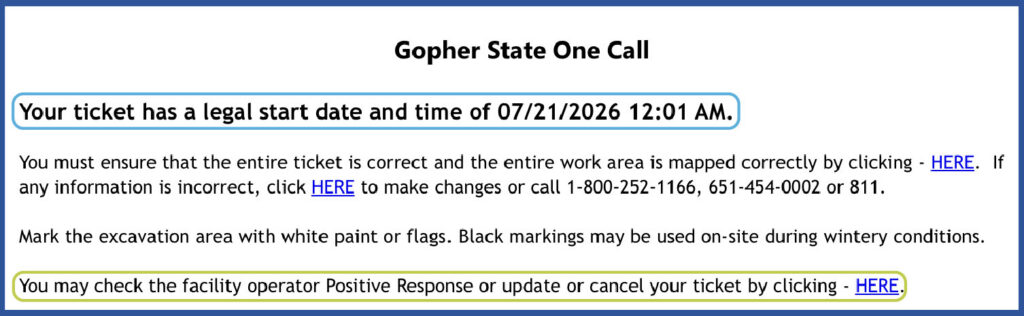
The top of the ticket will show the legal start date and time for the ticket. This is when you should expect to be able to start digging. Before you break ground, be sure to check the Positive Response from the utility companies responding to your ticket first. This will show you who has responded or marked the area as clear. You’ll also receive a second email with the Positive Response status at the locate request’s legal start time.

If there are any facility operators who have not responded yet, do not start digging. For questions regarding their response or lack of response, please call the “Marking Concerns” number listed with that company on your ticket. See below for an example of this.
Ticket Talk
Another way to contact the utility companies listed on your locate request is through Ticket Talk. Click one of the links to view the ticket online, and then click the “Add Conversation” button. You can then add a message and select which facility operator(s) you want to contact. Then click “Save” to send your message.
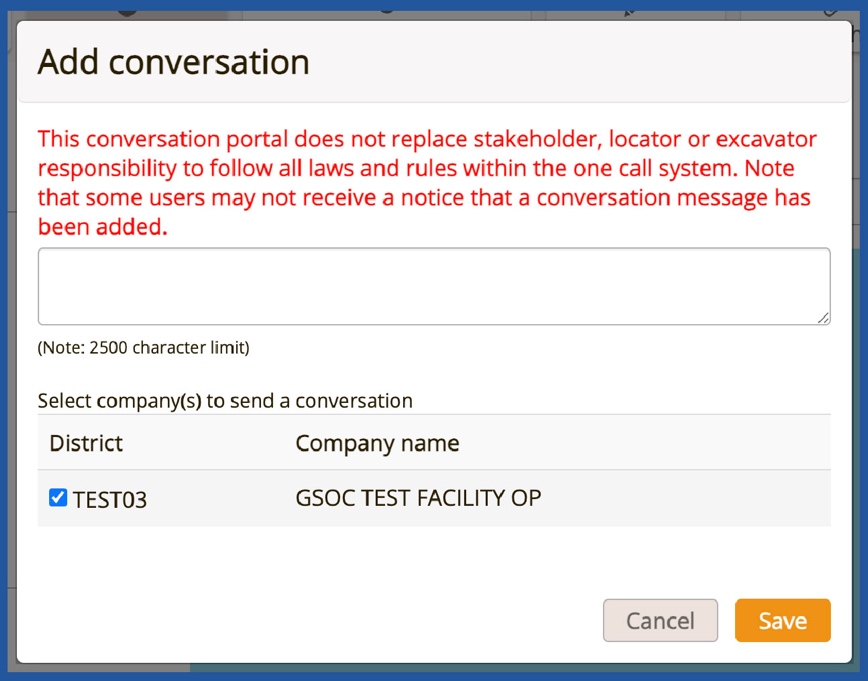
Important Note: Ticket Talk is meant to supplement communication but does not replace legal responsibilities. Conversations in Ticket Talk do not create a locate request, nor do they amend or alter the original notice of planned excavations. Users MUST file a new ticket to make these modifications. Given the public record of conversation, users are advised not to post sensitive information, such as access codes, personal phone numbers, or other private details.
Damage Numbers

In addition to the marking concerns number, there are two other phone numbers listed with each utility company. The damage is the phone number you should call if you come in contact with or damage a facility belonging to that company. The company will send someone out to access and address the damage. Even if you only scrape a buried utility line, the impact could damage a protective coating or the function of the line. Do not assume the facility is undamaged, do not attempt to repair the line yourself.
If you strike a gas line or any other buried facility and it results in the escape of any flammable, toxic, or corrosive gas or liquid, or if the damage results in a situation that endangers life, health, or property, it’s important to contact 911 before contacting the affected utility company. Click here to learn more about what to do in the event of an underground facility damage.
Customer Service Numbers

The last number listed for each utility company is the customer service number. This is the number you can call with any questions about the utility service, billing, or company-related questions.
Ticket Life and Refreshing Information
The emailed copy of the ticket also includes helpful reference information that you can refer back to as you start and work on your project. The ticket life—how long the locate request is valid for—is listed, along with the ticket’s expiration date and time.
If you find you need additional time to complete your project, the bottom of the email includes information about refreshing the markings and keeping it current, along with convenient links to make the needed adjustments.
If you’re ready to submit a locate request for an upcoming project, you can submit a ticket any time of day using GSOC’s online ITIC system. Click here learn more or get started.If you have questions about submitting locate requests or anything 811 related, contact our Customer Support team at 651-681-7326 or send us an email at [email protected].